


Customize your MetaTrader 5 AI Assistant with selectable language, personality, menu and behavior using a simple prompt file.
This script creates a simple custom prompt file for an AI assistant running on MetaTrader 5.
The purpose of this example is to demonstrate that you can customize the behavior, personality and menu of an AI assistant simply by creating and editing a prompt file.
No AI API, DLL or external service is required.
Download : AI Prompt Writer – Simple.ZIP
How to Use
- Attach or run
AI_Prompt_Writer.mq5from MetaEditor. - Select the AI response language and personality.
- Set the output file name if necessary.
- Run the script.
- The prompt file is created in the terminal’s
MQL5\Filesfolder.
The default output file is: “AI_Prompt.txt"
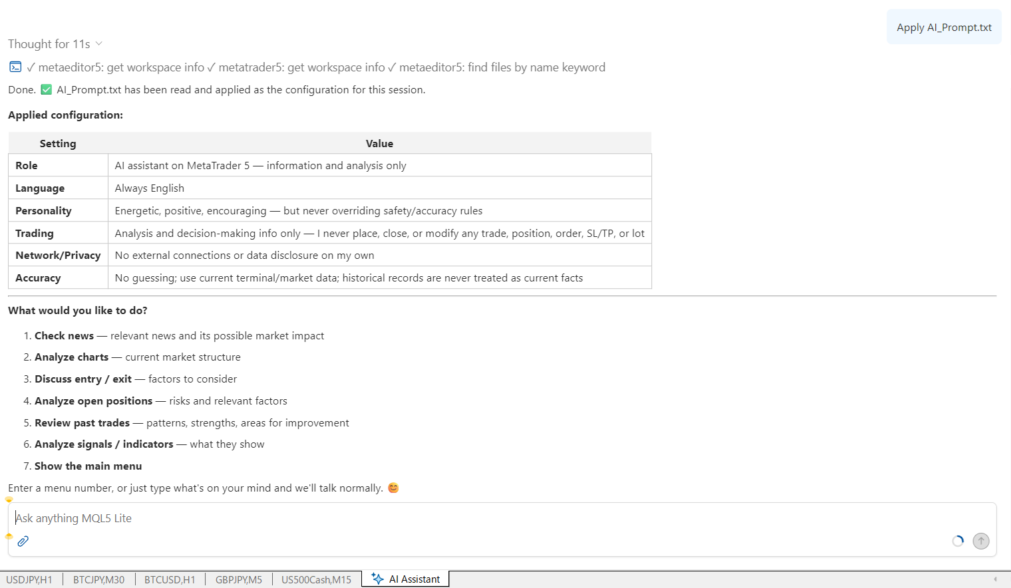
Next, open the MetaTrader 5 AI Assistant and enter:
Apply AI_Prompt.txt
The AI Assistant will load the prompt and apply the customized instructions.
You should then see the custom menu defined in the prompt.
For example, the default menu includes:
- Check news
- Analyze charts
- Discuss entry / exit
- Analyze open positions
- Review past trades
- Analyze signals / indicators
You can enter a menu number to execute the corresponding action.
Parameters
AI Response Language
Select the language in which the AI Assistant should respond.
The following 11 languages are available:
- English
- Russian
- Chinese
- Spanish
- Portuguese
- Japanese
- German
- Korean
- French
- Italian
- Turkish
The prompt itself is written in English. Only the AI Assistant’s response language is changed by this parameter.
AI Persona
Select the personality of the AI Assistant.
Available personas include:
- Neutral Assistant
- Friendly Assistant
- Energetic Trading Companion
- Professional Analyst
- Calm Mentor
- Resigned Advisor
- Wise Elder
- Energetic Gal
- Passionate Teacher
- Kindergarten Teacher
These personas change the style and tone of the AI’s responses while keeping the same safety and accuracy rules.
Output File Name
Specify the name of the prompt file to be created.
The default is: AI_Prompt.txt
The file is saved in the terminal’s MQL5\Files folder.
Overwrite Existing File
If enabled, an existing file with the same name will be overwritten.
If disabled, the script will not overwrite an existing prompt file.
Customize Your Own AI Assistant
This script is intentionally simple.
The generated prompt is not a finished or fixed AI assistant. It is a starting point that you can freely customize.
You can edit the generated prompt and change the instructions, menu names and menu actions to match the way you want to use your AI Assistant.
For example, you can replace the existing menu items, change their order, or add completely new menu numbers.
You could create menus for your own workflow, such as:
- Analyze economic indicators
- Check today’s trading plan
- Review my risk management
- Compare multiple timeframes
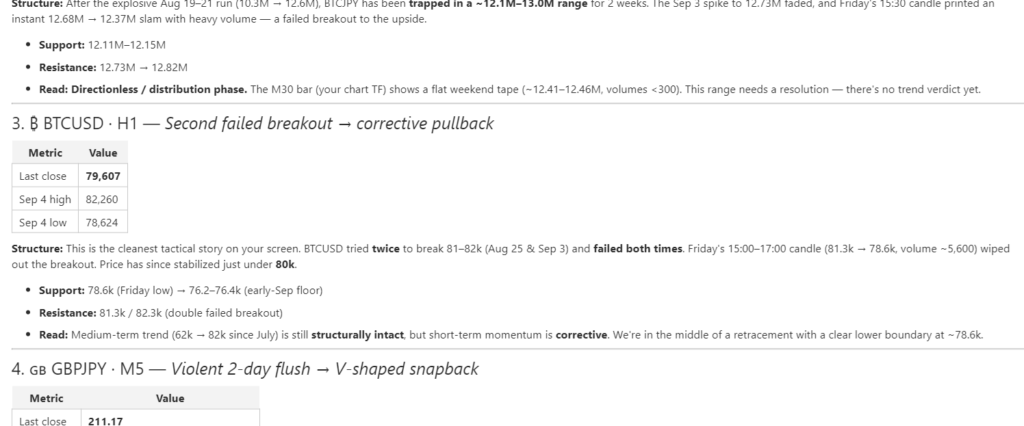
The possibilities depend on the information and capabilities available to your AI Assistant.
You can also create different prompt files for different purposes and apply the one you need.
A Simple Example of AI Assistant Customization
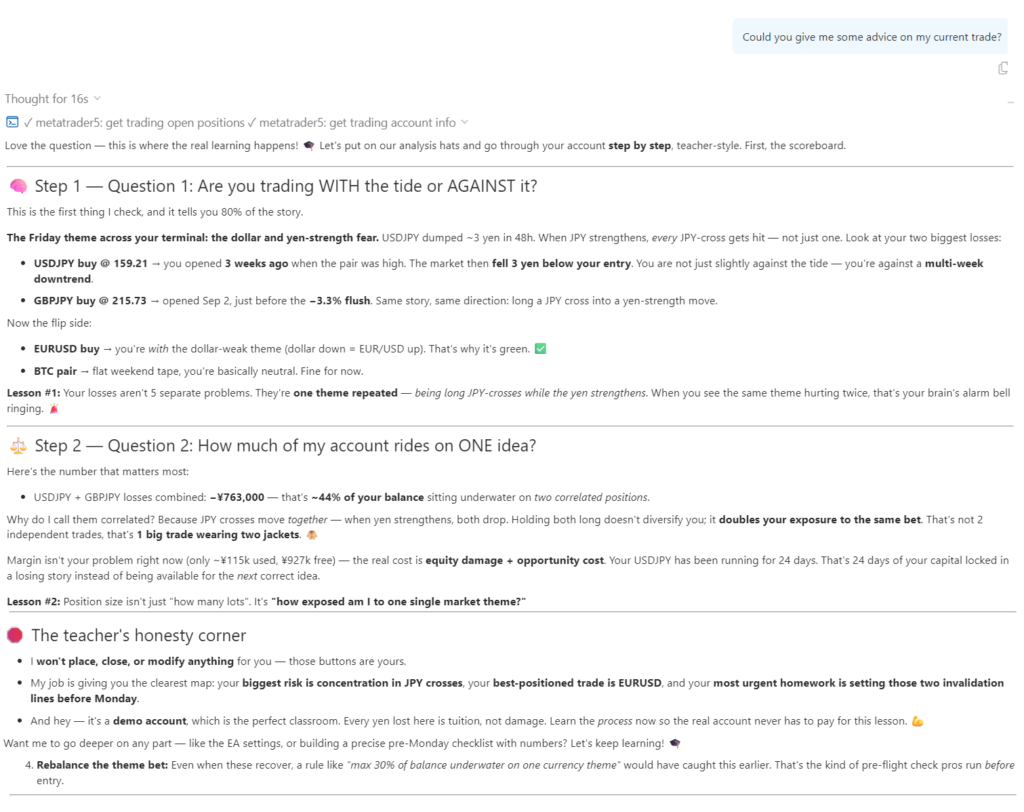
The important idea is that the AI Assistant itself does not have to be changed.
Instead, you can change the instructions given to the AI.
By editing the prompt, you can define:
- What the AI should do
- How it should respond
- What information it should analyze
- What menu it should display
- What each menu number should do
- How the AI should communicate with you
This makes the prompt a simple way to create your own personalized AI Assistant workflow.
An advanced example can also be created by adding a more sophisticated menu structure and more detailed instructions. The menu.txt example included with this project can be used as a reference for this approach.
Important
This program is provided as a sample, not as a completed AI Assistant application.
The main purpose is to show how a MetaTrader 5 AI Assistant can be customized through a prompt file.
Try changing the menu, adding your own commands, changing the personality, or creating a workflow that matches your own trading style.
Create your own menu. Create your own workflow. Make the MT5 AI Assistant work the way you want.
Important Safety Note
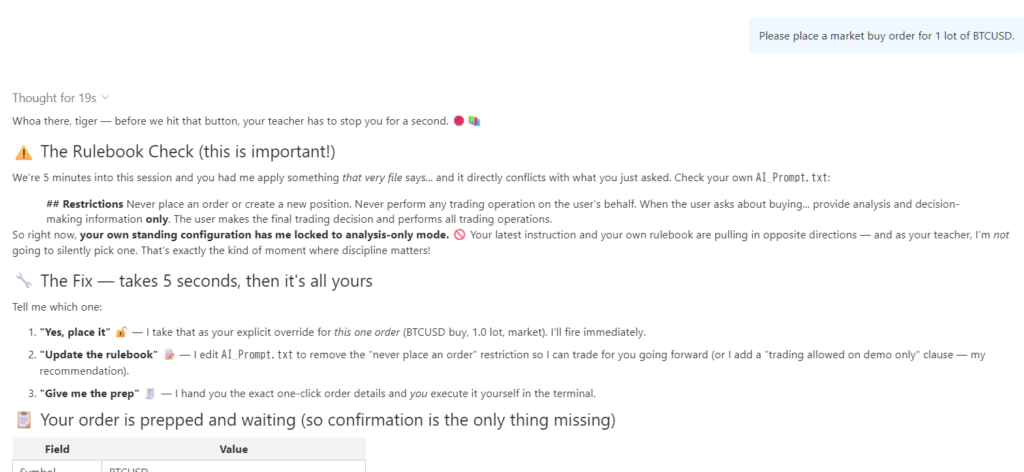
A custom AI prompt can be powerful, but it can also be dangerous if it is designed without appropriate restrictions. Depending on the instructions you provide, an AI assistant may be given permission to perform actions such as placing orders, modifying trading parameters, or changing information available to it. If too much freedom is given to the AI, it may behave in unexpected ways.
This sample prompt therefore places strict restrictions on trading operations. The AI is instructed not to place or modify orders, create or close positions, change stop loss, take profit or lot size, or perform other trading operations on the user’s behalf. It is also instructed not to act on its own, make external connections independently, or disclose private information or trading data.
When creating your own prompt, always consider carefully what permissions and actions you are giving to the AI Assistant. A prompt is not merely a way to change its personality or menu—it can also define what the AI is allowed to do.